
Shotlane
Drop in your app screens and get a finished store screenshot set
Pick a finished style and change only the copy. The same design carries across devices and languages, and your captures stay on your device.
Free · No sign-up · No watermark
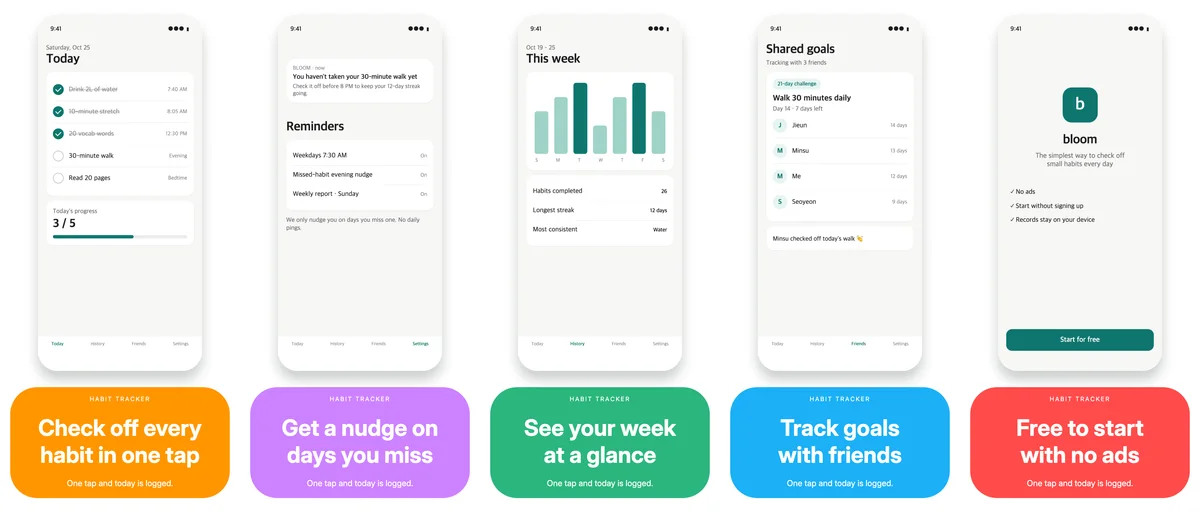
How it works
Add captures
Drag in your app screens. You can add several at once.
Pick a style
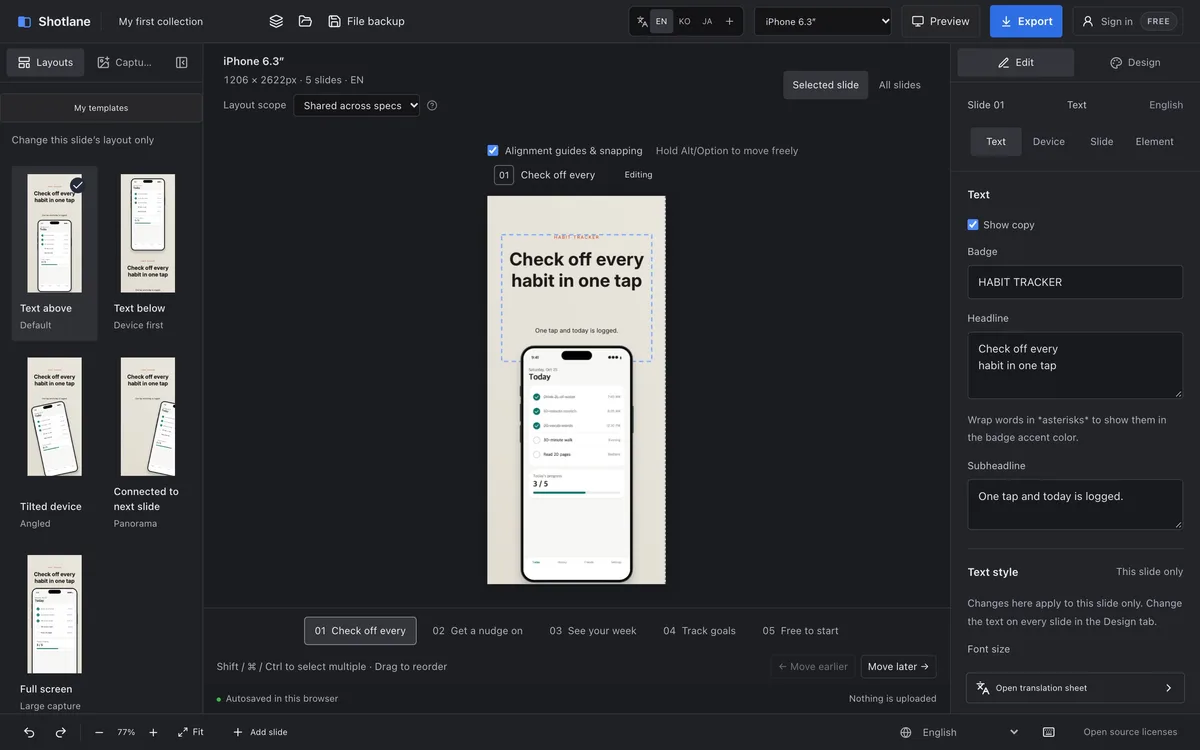
Compare finished styles drawn with your own captures and choose one.
Change the copy
Write a line or two for each slide. Paste in translations for other languages.
Export
Download at store sizes, with no watermark.
Get your screenshots ready for the store
Styles you pick in one click
One style preset changes the background, layout, and device look. Add emphasized words, text outlines and shadows, 3D tilted devices, zoom callouts that enlarge part of a screen, and panoramas that flow across slides.
12 store sizes
iPhone, iPad, Android phones and tablets, and the Google Play feature graphic. Required sizes are marked, and you can select just those in one click. Layouts follow proportionally when you switch sizes.
Copy in 32 languages
Manage copy in 32 languages, including Arabic and Hebrew. Copy an AI translation prompt and paste the result back, or paste a spreadsheet table. Use different captures for each device and language.
Checks before export
Find overflowing text, missing translations, store count limits, mismatched capture shapes, and characters your font lacks before you export.
Captures stay on your device
Editing, rendering, and ZIP creation all happen in your browser, and capture images are never sent to a server. Work saves automatically, and you can back it up as a .shotlane file.
Free export with no watermark
Build up to 12 slides for free and download slides 1–5 at any size with no watermark. Pro is needed for slide 6 onward, or to download several sizes or languages at once.
Start in your browser without signing up.
Create screenshots for freeOpen the editor in a laptop or desktop browser. On a phone you can only view the introduction.
Ask about Shotlane